Best Cameras for Virtual Production
As an Amazon Associate we earn from qualifying purchases. Some links in this guide are affiliate links — see our affiliate disclosure for details.
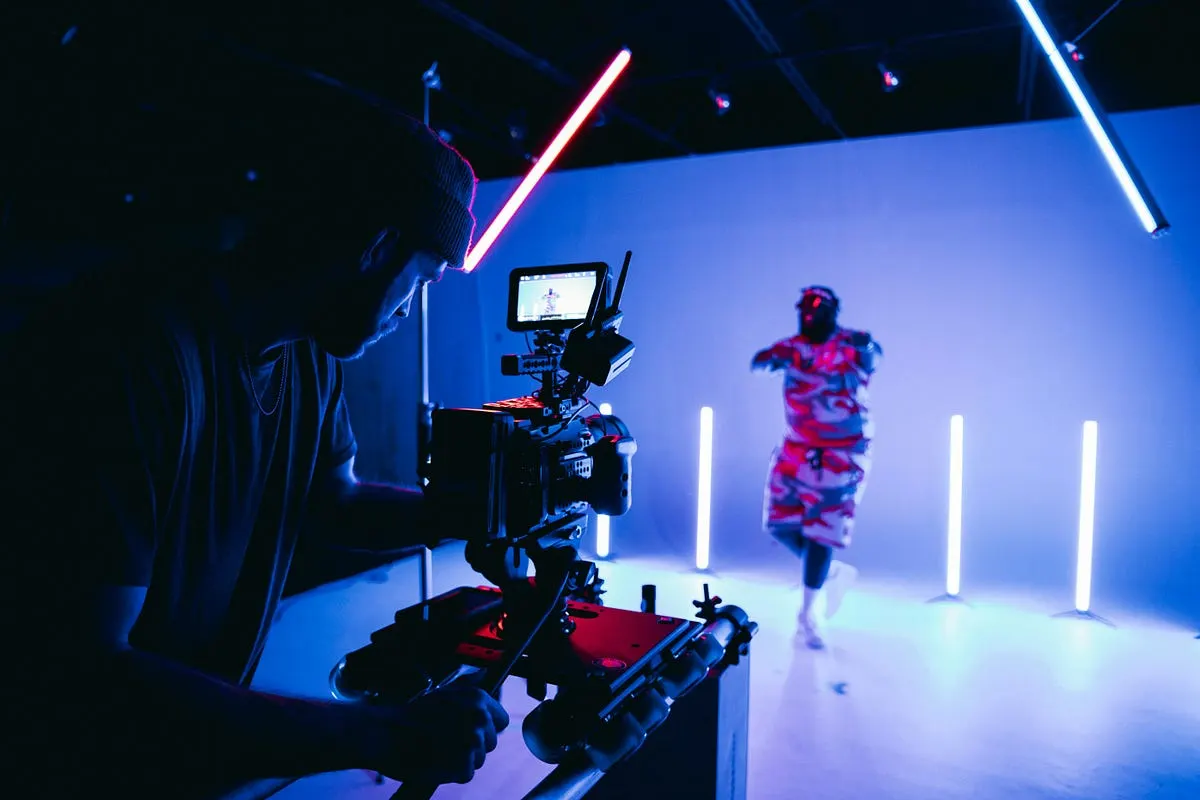
Photo by Kyle Loftus on Unsplash
I want to tell you about the most expensive lesson I ever learned, because it cost me about four hours of stage time, most of my dignity, and a client relationship I’m still not sure I fully repaired.
This was my first real LED volume shoot. I’d booked a small stage — maybe 20 feet of curved wall, nothing like the cathedral-sized volumes you see in behind-the-scenes reels — for a car commercial. I’d spent three weeks in Unreal Engine building a coastal highway at golden hour. It looked gorgeous on the wall. Talent was ready. Client was in the back with coffee, nodding.
And I brought my own camera, because of course I did. A Sony FX6. My workhorse. The camera that had never let me down on a single documentary, corporate piece, or music video.
We rolled. And the wall did this thing where it just… shimmered. Horizontal bands rolling through my beautiful sunset like a bad VHS transfer. Every take. The stage tech walked over, looked at my camera, looked at me, and said the words that reorganized my entire understanding of this craft:
“That one can’t genlock.”
I did not know what genlock was. I’d been shooting for eight years and I did not know what genlock was, because until you point a camera at a screen refreshing at its own independent rhythm, you never have to.
So that’s where this blog starts. Not with a spec sheet — with me, on a stage, realizing that everything I knew about picking a camera had just become the wrong set of criteria.
What actually matters (and it’s not what you think)
When you buy a camera for normal production you’re thinking about dynamic range, low light, color science, lens mount, weight. Reasonable things.
Virtual production reshuffles that list completely. Here’s what I now check before anything else.
1. Genlock. Non-negotiable. Start here.
An LED wall refreshes on its own clock. Your camera’s shutter opens and closes on its own clock. If those two clocks aren’t married to each other, the wall changes while your shutter is open — and you get banding, tearing, sawtooth edges, or that smeary double-exposed look on reflective surfaces.
Genlock is the sync signal that marries them. Some cameras take it. Some don’t, and no amount of budget or talent fixes that on the day.
Cameras that genlock properly: Sony VENICE and VENICE 2, Sony FX9, RED KOMODO / KOMODO-X / V-RAPTOR, ARRI ALEXA 35 and Mini LF, Blackmagic URSA and PYXIS.
Cameras that do not: Sony FX3 and FX6. Blackmagic Pocket series. Every mirrorless and DSLR you own.
I love the FX6. It is a phenomenal camera. It is the wrong camera for a volume, and I found out with a client watching.
(There’s a workaround where the stage manually phases the wall to your shutter. It drifts within minutes. Do not plan a shoot day around it.)
2. Shutter type and readout speed
Global shutter reads the whole sensor at once. Rolling shutter reads it line by line, and on a whip pan across an LED wall, “line by line” turns into skew, wobble, and artifacts the wall’s own refresh will happily amplify.
You don’t strictly need global shutter — The Mandalorian was shot on a rolling-shutter ALEXA LF, and it turned out okay for them. But global shutter buys you freedom to move the camera aggressively without babysitting the wall. If you’re on rolling shutter, the number to look for is sensor readout speed; roughly 18ms or faster is the commonly cited threshold for volume work.
3. Sensor size and resolution — for a counterintuitive reason
You want a large sensor and fast glass not for resolution’s sake but because shallow depth of field is your best anti-moiré tool. Throwing the wall slightly soft hides the pixel pitch. Large-format cameras dominate volumes partly for this reason.
Resolution also matters because the wall is behind your subject and you may need to crop, reframe, or hand plates to VFX.
4. Low light performance
LED walls are dimmer than you expect, especially once you’re stopped down. A camera with a genuinely usable high base ISO changes what’s possible. This is the single biggest quality-of-life difference I’ve felt between camera tiers.
5. Everything else
Multiple SDI outputs (your tracking system, your DIT, your director’s monitor, and the VFX supervisor all want a feed). Lens metadata output. And weight — because that camera is going on a tracked head or a dolly with an encoder rig, and every extra pound is a conversation.
The cameras I’ve actually shot with, ranked honestly
Sony FX6 — the camera that started this whole story
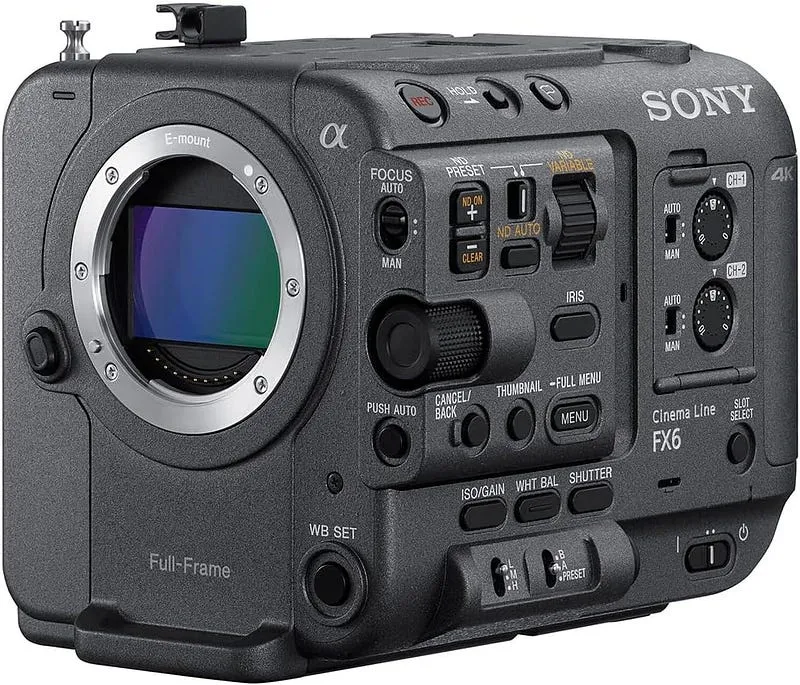
Don’t. Not on a wall. It’s brilliant everywhere else and I still shoot with mine constantly. But no frame sync means no volume. If you have an FX6 and a volume booking, rent something.
Sony FX9 — the “okay, I can afford this” answer
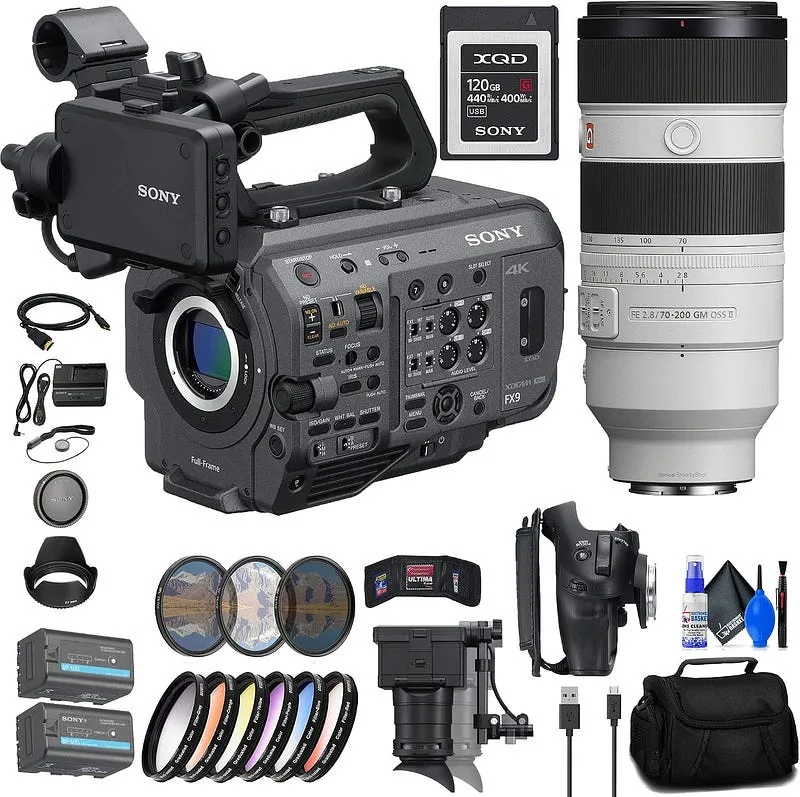
After the disaster, this was my next move: an FX9 rents cheap and genlocks. It’s picky about the sync signal it accepts and you have to dig into the menus to enable it, so budget setup time with the stage tech.
Rolling shutter, though. I shot a dialogue scene on one and it was fine — locked off and slow dolly moves, no issues. The moment the director asked for a fast handheld push-in, I started seeing the wall complain.
Verdict: the honest entry point if you’re renting a volume for a day and can’t justify more. Keep the camera moves civilized.
RED KOMODO 6K — the one that made me feel like I knew what I was doing
This is the camera where virtual production stopped feeling like fighting the technology. Global shutter, genlock, R3D RAW, 16+ stops of dynamic range, and a 2.1 lb body small enough that mounting it on a tracked rig doesn’t require a structural engineer.
It’s Super 35, so you lose some of the shallow-DOF moiré protection — I compensated with faster glass. It’s not a low-light hero. The RF mount limits you unless you adapt. And it’s a fussy camera about media and power.
But for the money, nothing else gave me global shutter and reliable sync in a body I could actually afford to own. I shot two years of work on mine.
RED KOMODO-X — what I’d buy today
The upgraded version, and worth the jump if you’re buying now — the S35 global shutter sensor was redesigned from the ground up, frame rates doubled to 6K/80p and 4K/120p, and the power and audio infrastructure finally makes sense.
The volume-specific feature: it supports frame-accurate PTP synchronization and tri-level genlock, with the ability to offset sync on the fly for multi-camera LED volume work. That offset sounds like a footnote until you’re running three cameras on one wall and two of them are showing artifacts in different places.
Verdict: the sweet spot for owner-operators. This is the recommendation I give most people who ask me.
The one I haven’t owned: ARRI ALEXA 35
I’d be lying if I claimed hands-on ownership. I’ve operated one on someone else’s stage. It genlocks with standard tri-level sync (you have to enable it in the menu), the dynamic range and highlight handling are extraordinary, and every DP I respect who’s shot heavy ICVFX work seems to end up on ARRI. If your show has the budget and a VFX pipeline built around ARRI, don’t let my Sony bias talk you out of it.
So what should you actually buy?
Renting a volume for a day, small budget → Sony FX9. It genlocks, it rents cheap, and if you keep the camera moves civilized you’ll never see the rolling shutter. Check price
Owner-operator, best value → RED KOMODO-X. Global shutter and proper multi-camera sync in a body a small company can survive buying. This is the one I recommend most often. Check price
Hunting the used market → RED KOMODO 6K. The original still does everything that matters on a wall, and prices have come down hard. Check price
Commercial work with a real VFX back-end → RED V-RAPTOR [X]. Large format, global shutter, and Phantom Track for GhostFrame workflows. Check price
Best image and the most low-light headroom → Sony VENICE 2. Dual base ISO, phase-shiftable genlock, and Rialto for tight volumes. Check price
Episodic or studio pipeline → ARRI ALEXA 35. Ask your VFX vendor which body they’d rather receive before you commit. Check price
A note on buying the high end: VENICE 2, V-RAPTOR, and ALEXA 35 bodies are mostly dealer items — B&H, Adorama, or direct from the manufacturer — and Amazon listings for them come and go through third-party sellers. Check the price, but expect to buy through a dealer who’ll actually support you.
The stuff nobody links to, which you will absolutely need
This is the gear that turned out to matter more than I expected on my first few volume days.
- 75-ohm BNC cables — genlock and SDI run on these. Bring more than you think. Bring spares of the spares.
- A timecode / sync generator — Tentacle Sync and similar. Essential once you’re multi-camera.
- CFexpress Type B cards — RAW at 6K/8K eats media. Fast cards, not cheap cards.
- V-mount batteries and a charger — cinema bodies with I/O modules drink power.
- A 7" SDI field monitor — you need to judge moiré on the wall, and the camera’s flip-out screen will lie to you.
- A matte box and ND filters — controlling your stop is how you control depth of field, which is how you control moiré.
- A camera cage / rod system — tracking hardware has to bolt to something.
Three things I’d tell my past self on that stage
Talk to the stage tech before you book the camera, not after you arrive. They know exactly which bodies play nicely with their wall and their processing. That five-minute phone call would have saved my entire first shoot.
Test on the actual wall before the actual shoot day. Different pixel pitches, different processors, different refresh rates. A camera that was flawless on one stage can show artifacts on another. An hour of testing is the cheapest insurance in this business.
Your camera is maybe 20% of the outcome. Genlock is the gate — get through it or don’t shoot. But past that gate, the wall’s pixel pitch, the processor, the tracking system, the operator’s Unreal Engine skills, and whether anyone matched the practical lighting to the virtual sun matter more than which excellent camera you picked. I spent a year obsessing over bodies and then discovered my images got better when I started obsessing over lens choice and lighting continuity instead.
The FX6 is still in my kit. It goes on documentaries, interviews, B-roll, everything. I love it.
It just never, ever goes near a wall.
Written by
Marien CartelProfessional and Certified Digital Photographer born in the USA, with 22 years of experience in the field of photography.
Related Guides
Best Camera for Automotive Photography
What I Actually Reach For When I’m Shooting Cars
Best DSLR Cameras for Beginners: (Guide & Reviews)
My Hands-On Experience with the Best Beginner-Friendly Cameras
Best DSLR for Video
From Struggling Videographer to Pro: My Personal Journey Finding the Best DSLR for Video